How CueHand works

From enquiry to getting paid.

Every booking is one record, carried through six steps. Nothing is copied from one tool to the next, so nothing falls between them.

Guests in party glasses singing and dancing with their hands in the air at an evening celebration under string lights

Part 1

Win the booking

An enquiry arrives, gets an answer, and becomes a price the client can say yes to.

01Enquiry

Every enquiry lands in one place

Share one enquiry form, on WhatsApp, Instagram or your website, and every request arrives in the same list.

Your form is ready the moment you sign up. Send its link wherever your clients find you, and each enquiry comes in with the date, the guest count and what they're asking for. Each lead moves through your pipeline with a suggested next step, from “reply to them” to “follow up on the deposit”, and CueHand flags the ones that have waited too long.

  • WhatsApp
  • Instagram
  • Your website

One list of enquiries

02Quote

Quotes from your own prices

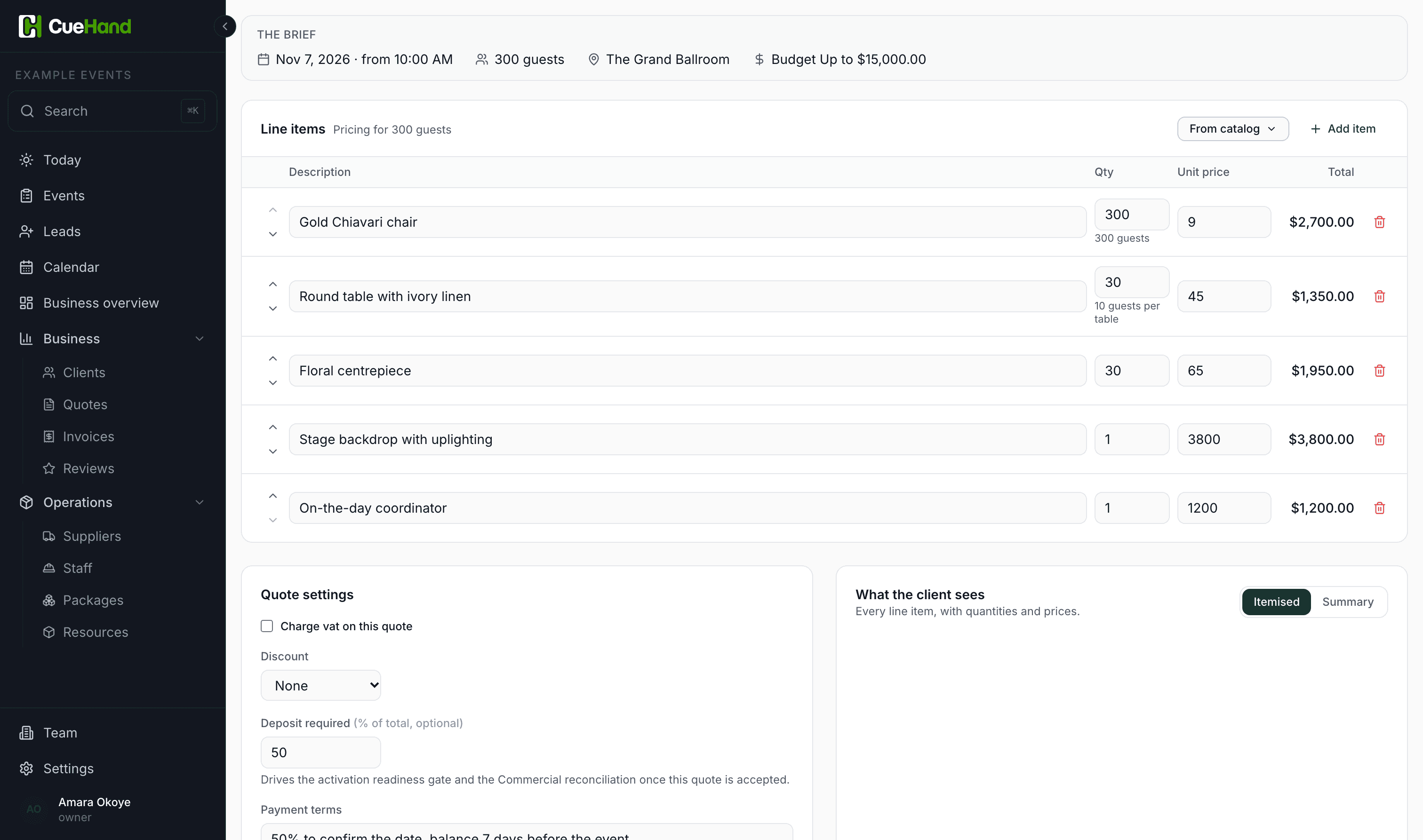
Build quotes from your services and packages, instead of re-typing them every time someone asks what you charge.

Add items from your catalogue, set quantities and the deposit you ask for, and send it with your own message on WhatsApp or by email, as a PDF. When they say yes, the price is carried onto the event.

CueHand's quote screen in a browser: the brief for 300 guests, then five line items from the catalogue with quantities, unit prices and totals, and a 50% deposit

03Confirm

Yes becomes a confirmed event

An accepted quote becomes the event, with the client, the date and the agreed price already on it.

Nothing is copied by hand. The client record, the contract value and the deposit you agreed follow the booking from here to the final payment.

  • Accepted quote

Confirmed event

Already on it: Client · Date · Agreed price · Deposit

Part 2

Run the date

Once it's a yes, everything for the day gathers on the event, and goes with you on the day.

04Prepare

Everything for the date, together

Tasks, staff, suppliers and the running order live on the event, not across five apps.

Assign your crew, list what your suppliers are owed, and build the running order for the day. On an iPhone you can add staff and suppliers straight from your contacts.

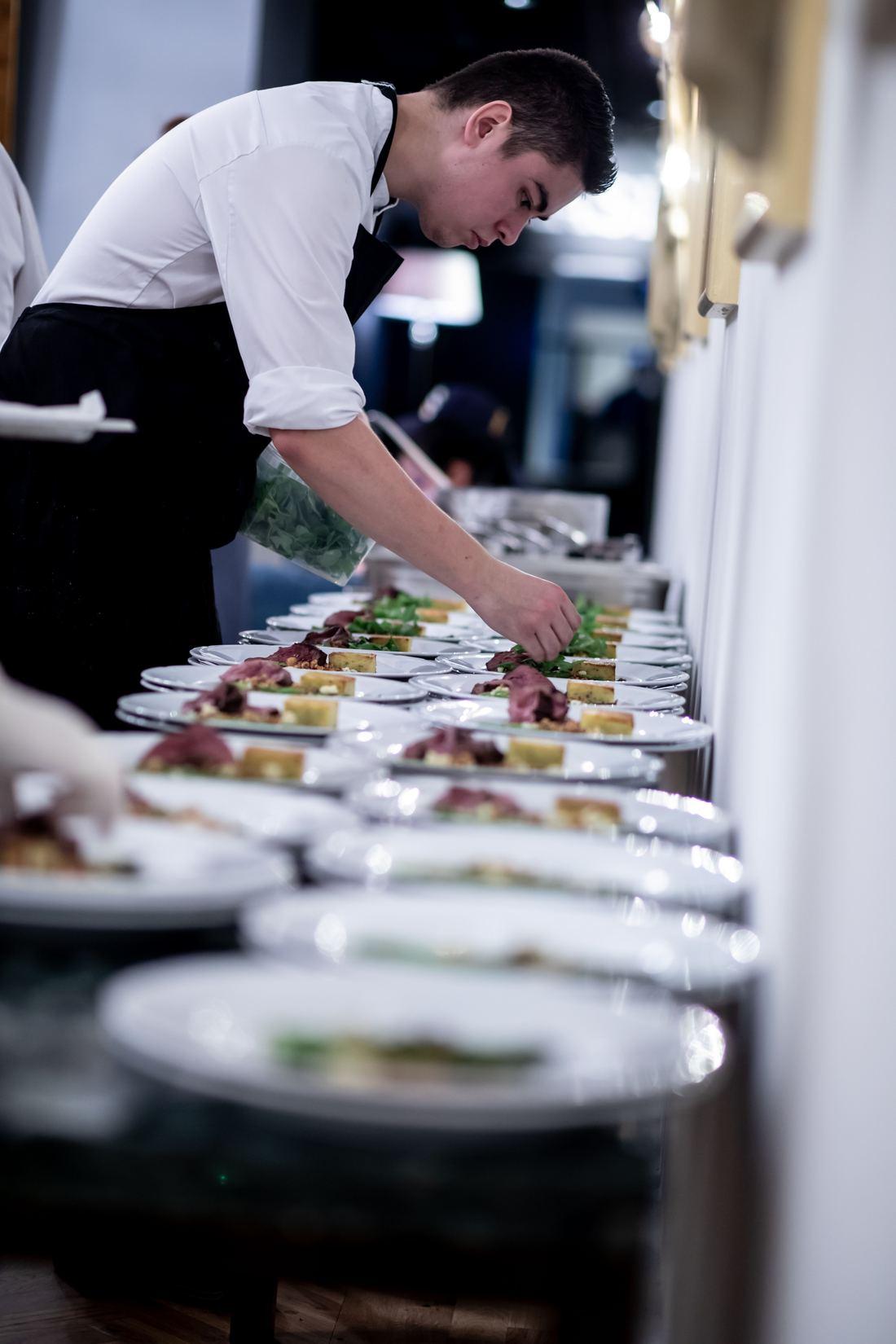
A caterer plating a long line of dishes before service

05Run the event

The day, in your hand

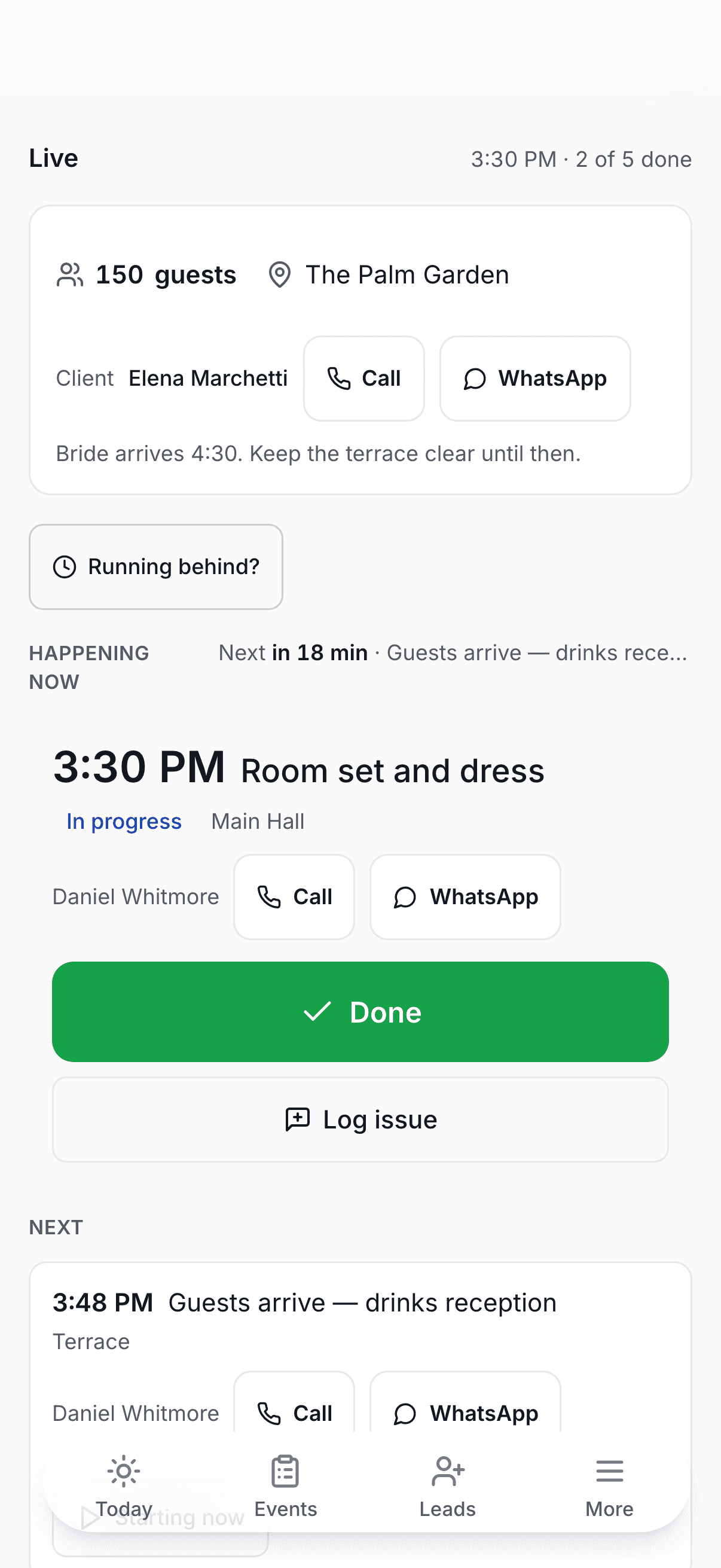
On the day the running order is live on your phone: what's happening now, what's next and how long until it starts, with the guest count, the venue and the client's number to hand.

Where you've saved a number, call or WhatsApp the supplier or crew member on any line in one tap. Running behind? One tap moves what's left of the day, and the people whose items moved get the new time. The phone app reminds you before each of your own items and keeps a copy of the day, so both still work with no signal.

CueHand's live running order on a phone: the guest count, venue and client with Call and WhatsApp, Running behind, the item happening now and what's next

Part 3

Get paid

Every deposit and balance on the record, so you know what's still to come in.

06Get paid

Know what's still owed

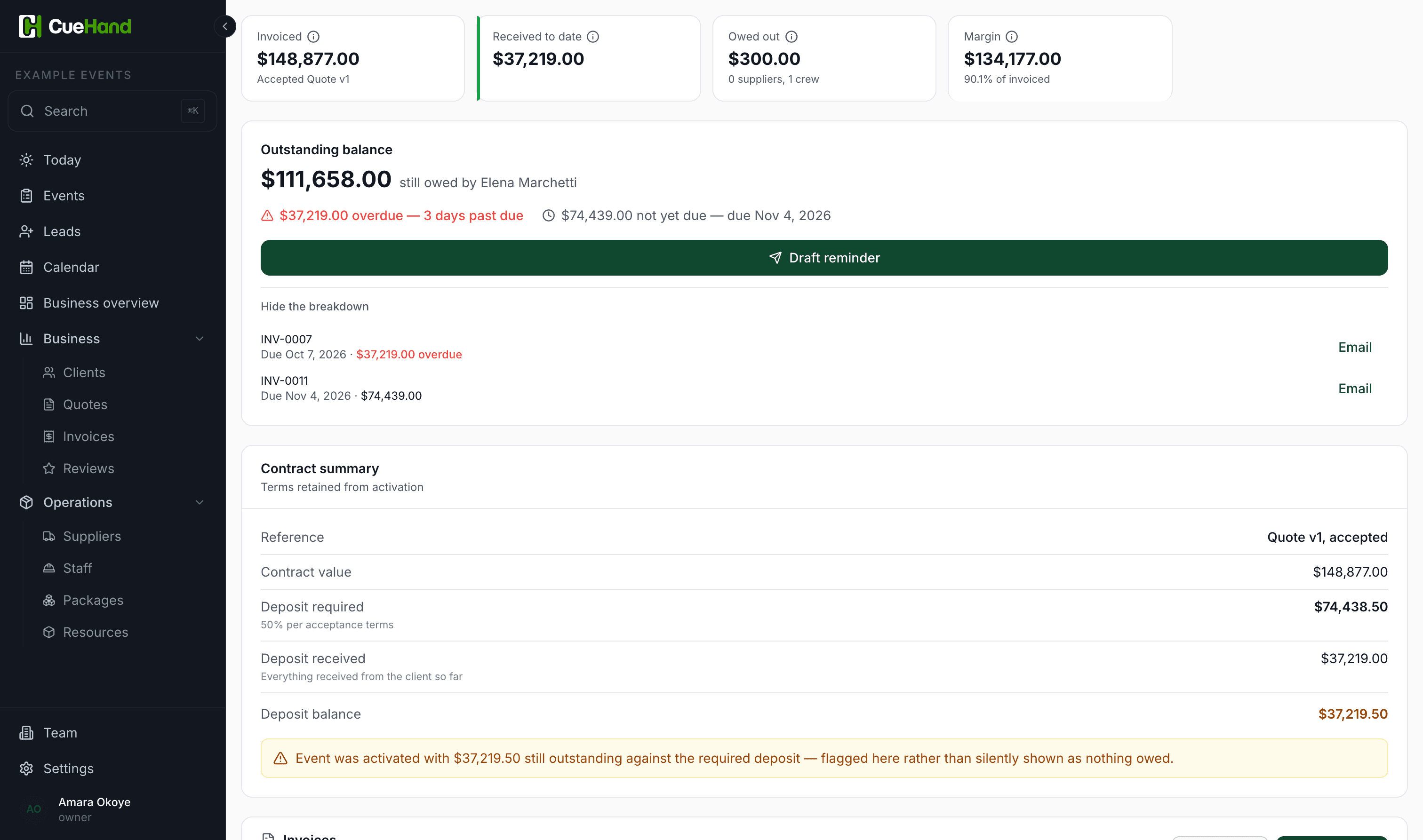
Raise invoices and record every deposit and balance, cash, transfer, card or mobile money, and see what's outstanding.

CueHand records payments; it doesn't process them. You're paid the way you always are, and CueHand keeps the ledger: what's in, what's due, and what's overdue. Once the event is delivered, you can send the client a private link to say how it went, and they choose whether you may share their words.

An event's money view: invoiced, received to date, owed out and margin, then the outstanding balance and the invoices behind it

Follow your next booking from enquiry to paid.

Sign up, and your enquiry form is ready to share in a few minutes.

No credit card required.