For small event businesses
Run the work behind every event.
CueHand keeps enquiries, quotes, the event day and payment records on one booking, from the first message to the final balance.
Caterers, planners and decorators, DJs, photographers, bakers, rentals and more.
No credit card required · On your laptop and your phone
The work isn't just on screen
The booking is only the beginning.
The first message is easy to remember. The work after it is where details, people, dates and balances start multiplying.

Enquiries arrive everywhere
Instagram, WhatsApp, email and calls can all become the same job.
Every quote starts from somewhere
Build from the services you already offer instead of retyping the same work.
The day keeps moving
Tasks, staff, suppliers and the running order need to stay close to the event.
Money needs a record
See what was invoiced, what you recorded as paid and what remains outstanding.
One booking, one thread
From first message to final payment.
The same booking moves through six stages. Nothing is copied by hand on the way.
Part 1 · Win the booking
- 01
Enquiry
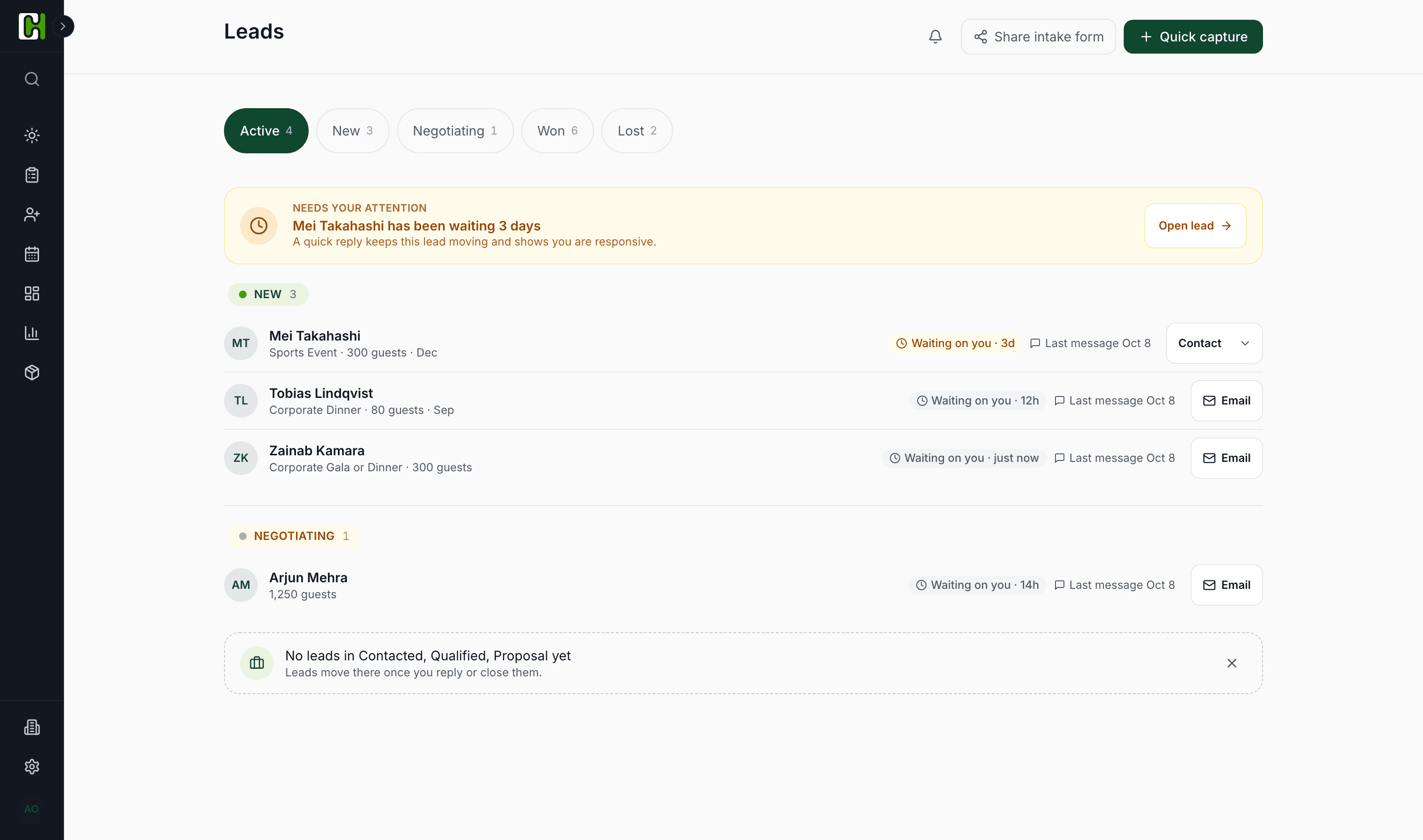
Every enquiry lands in one place
Share one enquiry form, on WhatsApp, Instagram or your website, and every request arrives in the same list.
- 02
Lead
Nobody goes cold
See who's waiting on you and what to do next, so no enquiry sits unanswered.
- 03
Quote
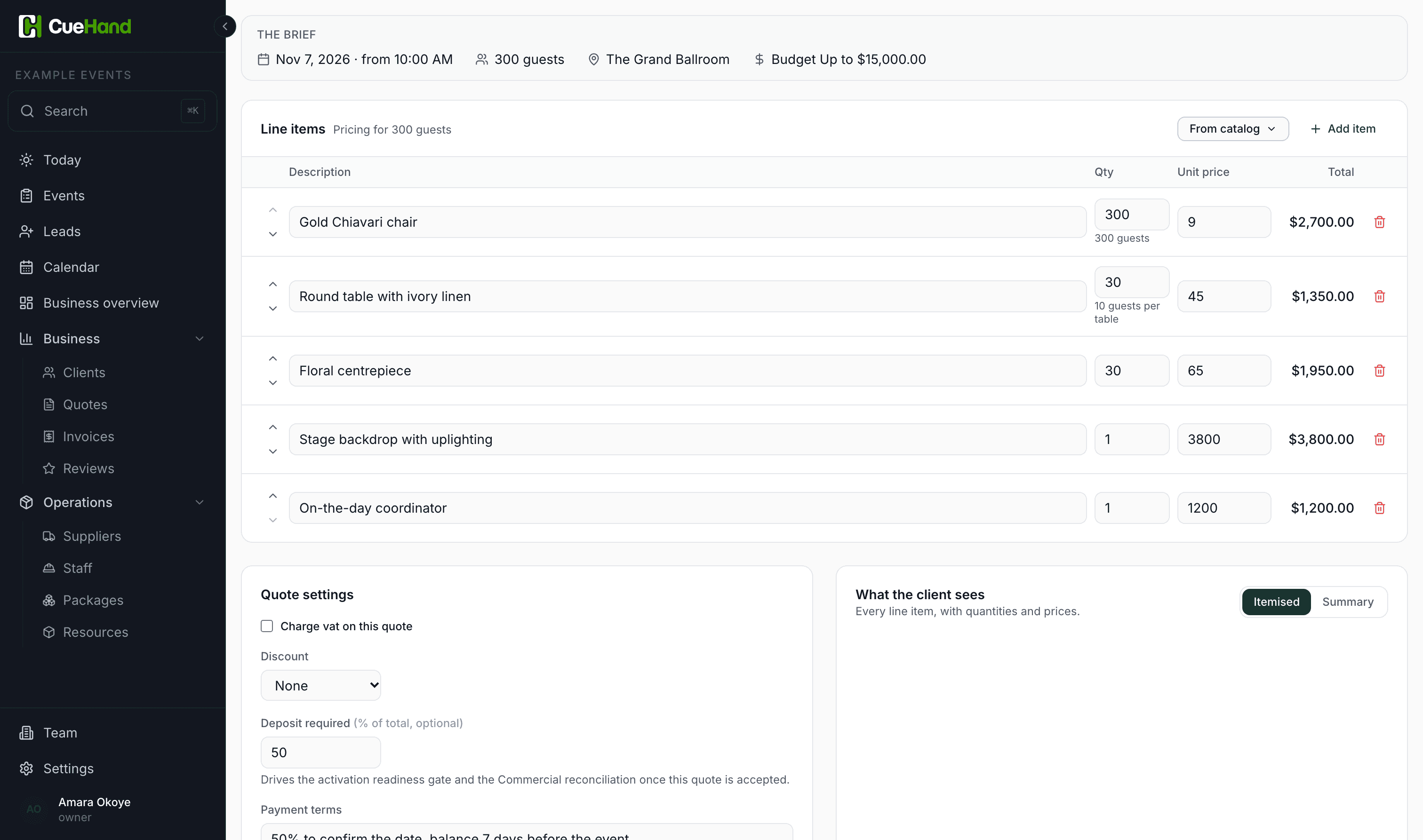
Quotes from your own prices
Build quotes from your services and packages, instead of re-typing them every time someone asks what you charge.
Part 2 · Run the date
- 04
Confirmed
Yes becomes a confirmed event
An accepted quote becomes the event, with the client, the date and the agreed price already on it.
- 05
Workspace
Everything for the date, together
Tasks, staff, suppliers and the running order live on the event, not across five apps.

Part 3 · Know what's owed
- 06
Paid
Know what's still owed
Raise invoices and record every deposit and balance, cash, transfer, card or mobile money, and see what's outstanding.
- Invoiced
- Recorded as paid
- Still owed
Record payments by
- Cash
- Bank transfer
- Card
- Cheque
- Mobile money

After the booking, on a phone
Still useful when you've left the desk.
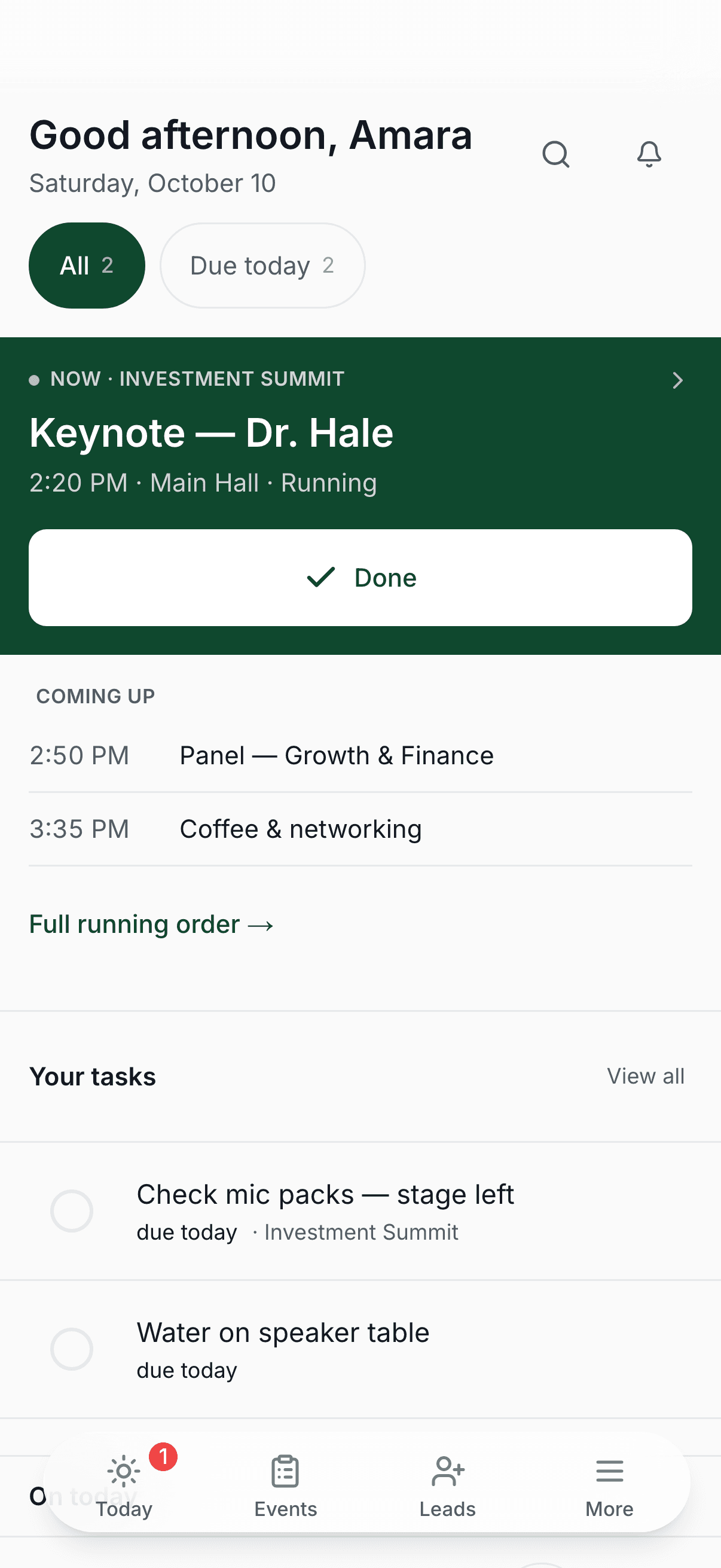
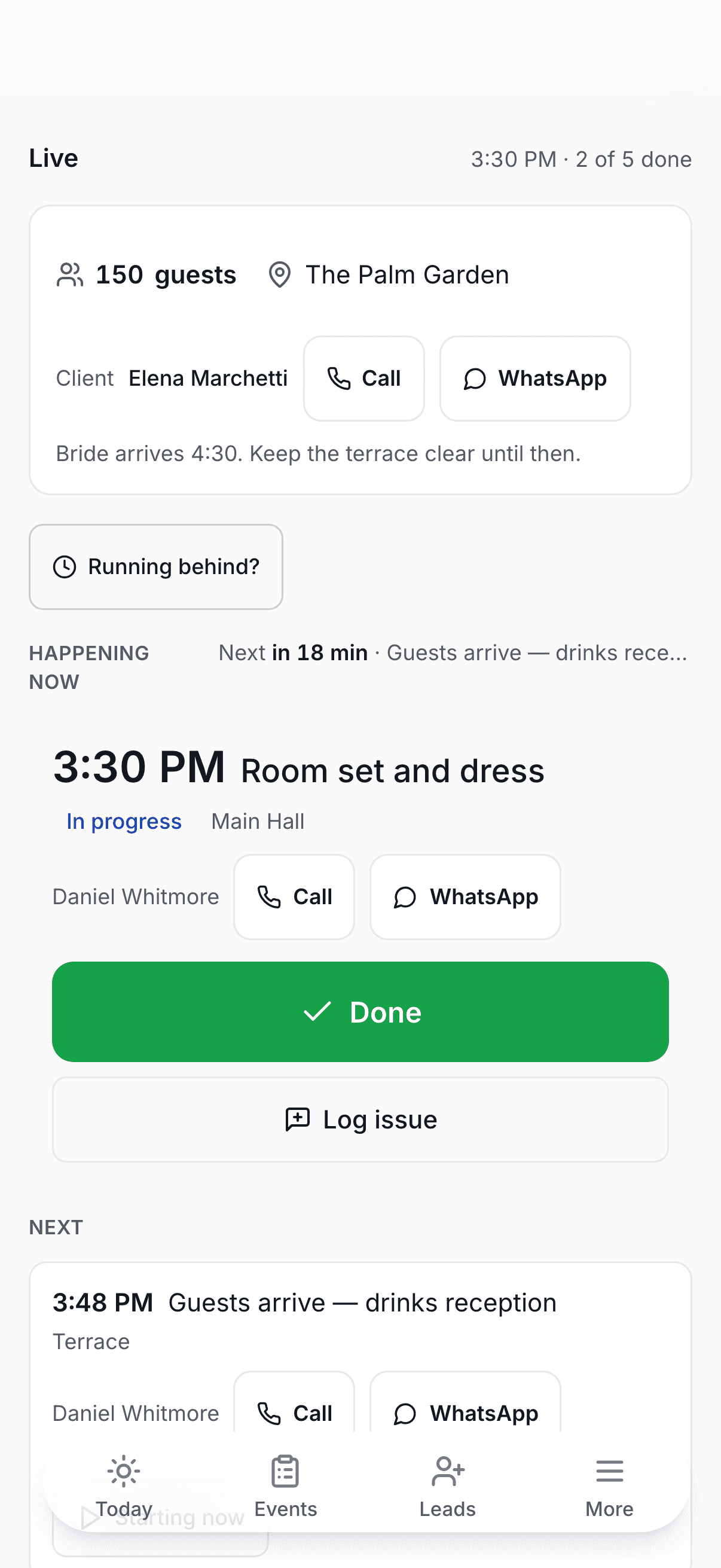
On the day, the booking is in your hand: the guest count, the venue, the client's number, what's happening now and what's next.
- Live running orderWhat's on now, what's next and how long until it starts. Where you've saved a number, call or WhatsApp the person behind each line in one tap.
- Running behind?One tap moves what's left of the day, and the people whose items moved get the new time.
- Before every cueThe phone app reminds you before each item you're responsible for, even with no signal.
Who it's for
Built for businesses that work event by event.
If the date matters, the workflow matters. Each trade gets its own page, in its own words.

- Event planners & décorVendors, timelines and run sheets in one place instead of twelve chats.
- CaterersFrom “can you do 150 guests on the 14th?” to paid, without losing the thread.
- Bar & cocktail servicesPackages, bartenders and headcounts, on one booking.
- DJs & entertainmentEvery booking enquiry in one place, not scattered across your DMs.
- Hair & makeup artistsBookings, trials and call times, from your phone.
- Cakes & dessertsOrders out of the chat, deadlines you can see, balances you can trust.
- Furniture & equipment rentalReservations, delivery and pickup, with what's owed on each.
- Photographers & videographersBookings, shoot-day plans and payments, on one record.
- Every other event businessIf you sell work against a date that can't move, it fits.
Made for real working days
Fits the way small event businesses already operate.
Share one enquiry link
Send it on WhatsApp, put it in your bio or add it to your website. New requests land in the same list.
Record how you were paid
Keep cash, bank transfer, card, cheque or mobile money on the event record without pretending CueHand processes it.
Run a team or work solo
Invite your crew with roles, then keep events and tasks tied to the people doing the work.
Straight answers
Before you start.
Does CueHand take payments?
No. CueHand records payments; it doesn't process them. You're paid the way you already are, and CueHand keeps track of what's been paid and what's still owed on every event.
Do I need a credit card to sign up?
No. No credit card is needed to sign up, and nobody is billed without choosing a plan.
Do I need to install anything?
No. CueHand works in the browser on your laptop and your phone, and there's a CueHand phone app as well.
Can my team use it?
Yes. Invite people to your workspace with a role: owners and managers run the business, and staff see the events and tasks they're working on.
What if there's no signal at the venue?
The CueHand phone app keeps a copy of the day on your phone: your events, the running order and everyone's numbers, with Call on each line. Reminders before your own items still go off.
Can I take my data out?
Yes. The account owner can download the business's records as a .zip of spreadsheets (CSV) that open in Excel, Google Sheets or Numbers.
Does it do contracts or e-signatures?
No. Quotes are sent for approval, and an accepted quote becomes the event, but there is no contract signing in CueHand today.
Keep the next event moving.
Sign up, and your enquiry form is ready to share in a few minutes.
No credit card required.